Nathan Dykema

CSCI 496: Senior Portfolio
In partial fulfillment of the requirements for the degree of Bachelor of Technology in Computer-Science (class of 2026)
View My Resume
View My LinkedIn Profile
A Console-Based Naval Strategy Game In C++
- Class: CSCI 235
- Grade: A
- Language(s): C++
- Source Code Repository: CSCI Procedural Programming - Battleship Project
(Please email me to request access.)
Project description
This project is a console based recreation of the classic game Battleship. The game uses a 10 by 10 grid where fleets are placed before battle begins. The enemy fleet is generated in secret, while the player is given an unlimited number of randomly generated boards to preview until they are satisfied with one. Once the player accepts a board, the battle begins.
During gameplay, the player and enemy take turns firing at each other’s fleets. The program keeps track of hits, misses, and sunk ships, and the game continues until one side has lost every ship. In addition to the core game logic, I added features that improve the overall experience, such as a typing effect for program dialogue, short delays for pacing, and a simple enemy targeting animation to make the AI feel more interactive.
How to compile and run the program
In order to compile and run this program, the following are needed:
- A C++ compiler and IDE that supports standard C++ (Any Visual Studio version or g++)
- All required source and header files in the same main Battleship folder: - Battleship.cpp - EnemyAI.hpp - GameSpecs.hpp
Compilation for g++
cd /Battleship
g++ Battleship.cpp -o Battleship
Battleship.exe
Compilation for Visual Studio: 1.) Go to the GitHub repoistory for the project and Download ZIP. 2.) Extract the ZIP file and open the file named Battleship.sln 3.) In Visual Studio, build the program using Ctrl + Shift + B 4.) Run the program using CTRL + F5
UI Design
Although this project is a console application, it still includes a structured user interface that allows the player to interact with the game in a clear and organized way.
At the start of the game, the player is shown randomly generated ship layouts and can continue cycling through them until they choose one they want to use. Once the game begins, the program displays the enemy board and the player board side by side so the player can track both their own fleet and their attacks. Enemy ship positions remain hidden during normal play, while hits and misses are clearly shown.
The player enters coordinates such as B2 to fire shots. The program validates user input by checking whether the coordinates are on the board and whether the player has already fired at that location. If the input is invalid, the program provides feedback and prompts the user to try again. After each turn, the game reports whether the shot was a hit or miss, and it also informs the player when a ship has been sunk.
To make the game feel more lively, I included a typing animation for dialogue and a short enemy shot animation that rapidly cycles through coordinates before revealing the AI’s final target. These additions help the command line interface feel more dynamic and engaging.
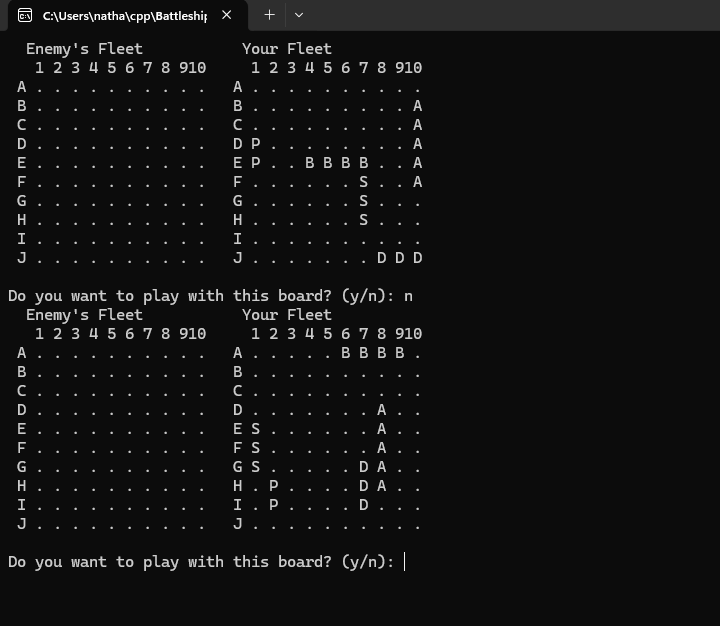
Fig 1. The Launch Screen and Board Refesh
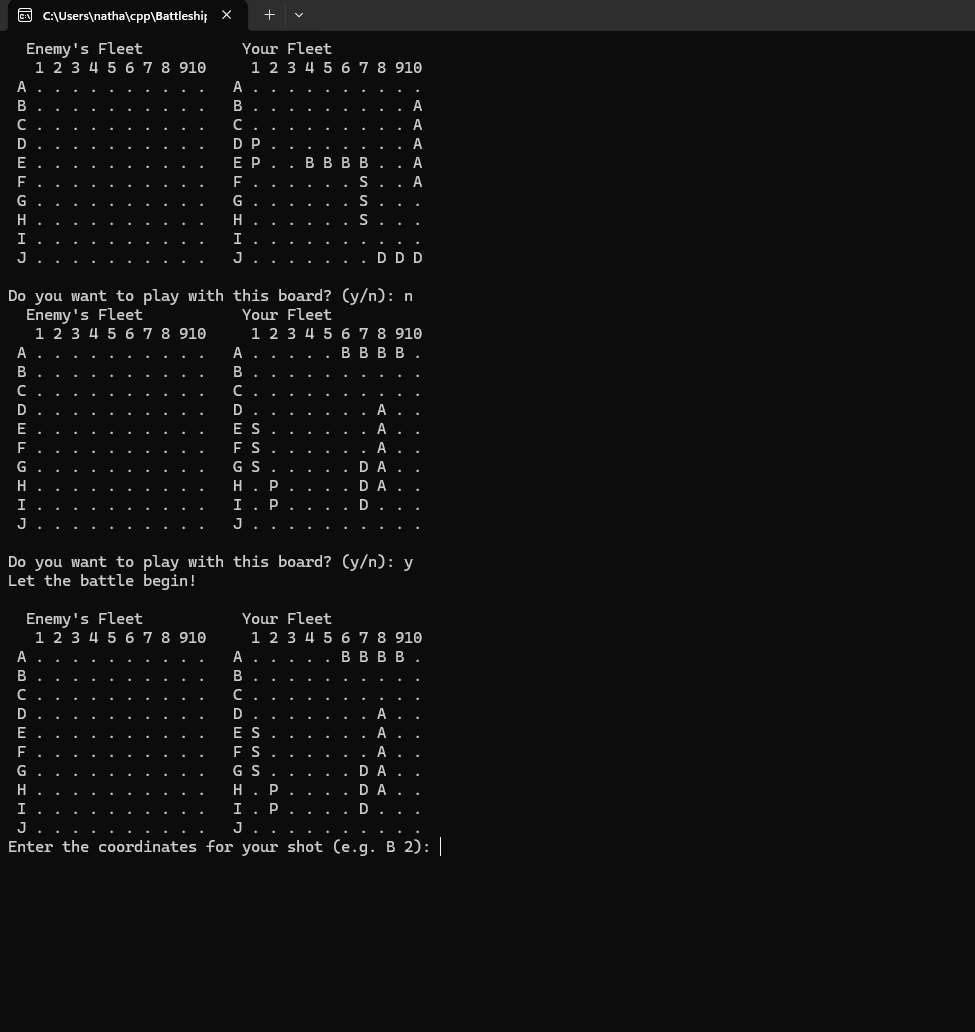
Fig 2. Let the Game Begin!
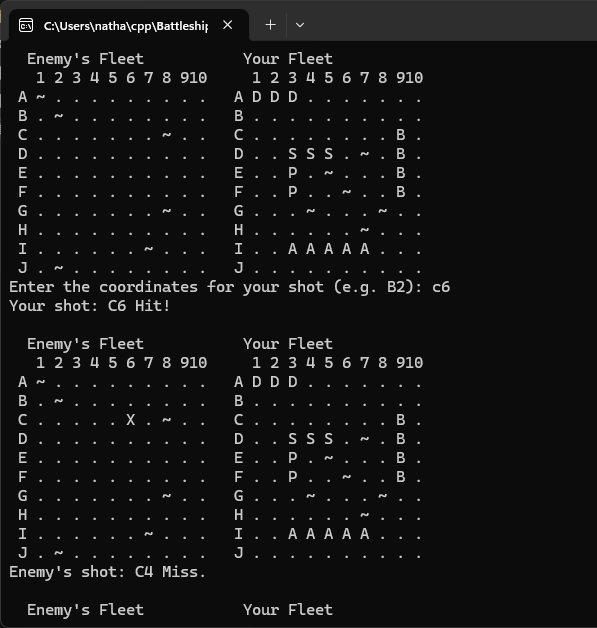
Fig 3. Taking a shot.
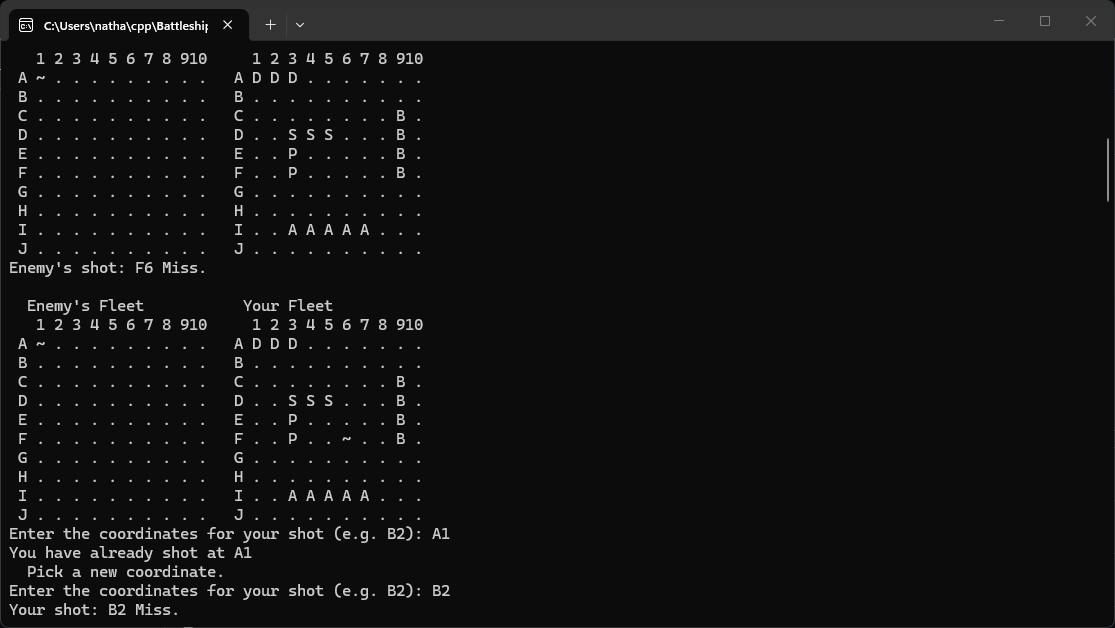 Fig 4. Error Handling
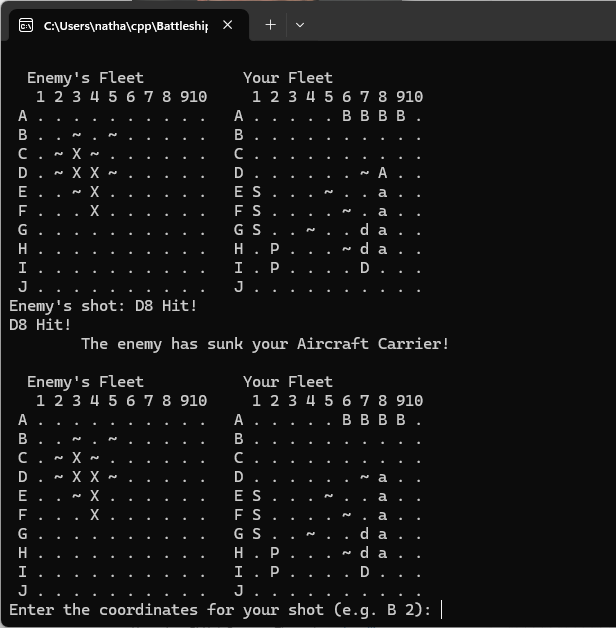 Fig 5. Sinking a ship!
3. Additional Considerations
One important part of this project was balancing game logic with readability and user experience. I wanted the program to do more than simply function correctly, so I focused on making the gameplay easier to follow by clearly showing board states, validating input, and pacing messages so the player has time to read them.
This project also gave me practice working with multidimensional arrays, functions, header files, enumerated game states, randomization, and turn based logic. It strengthened my understanding of how to organize a larger C++ program into manageable parts while still keeping the code understandable. Because the project combines logic, input handling, and presentation, it was a strong exercise in both problem solving and user centered program design.
For more details see GitHub Flavored Markdown.